 Українська
 Русский
Cleaning
Area, cleaning type, extra services.
Deep cleaning of 54 m² with windows
The client calculates the price in seconds and gets an exact quote in exchange for their contact. You get a lead with a clear budget.
Clients don’t finish a twenty-line price list, and “price on request” scares them off. A calculator answers the main question immediately and turns interest into a lead.


Features
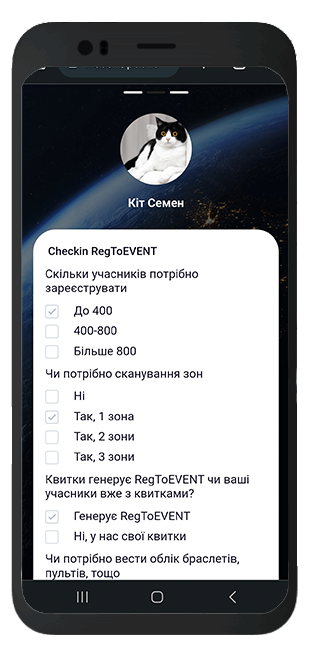
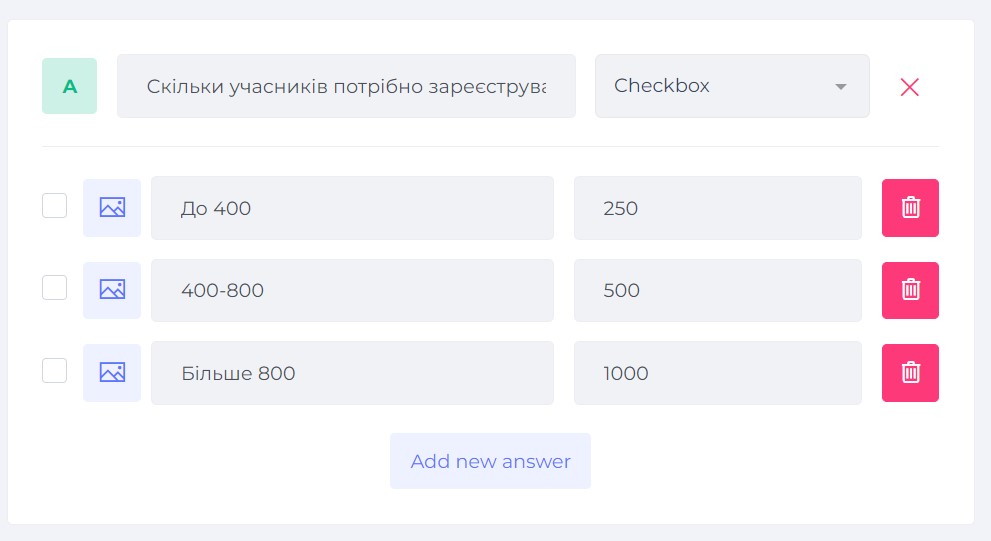
Sliders, numbers, toggles, checkboxes, and lists. Build a calculator that fits your price list.
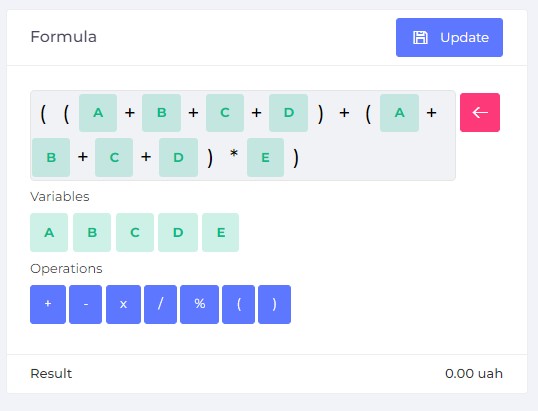
Price per unit, coefficients, markups, and a minimum order amount. No coding.
The total changes with every parameter change. Clients pick an option that fits their budget.
A contact form before the detailed quote. The lead arrives with the parameters and the amount.
For simple services you can take payment or a prepayment of the calculated amount right away.
Google Analytics, Tag Manager, Meta and TikTok pixels. Track the cost per lead from ads.
Take your price list, turn it into parameters and a formula. No developer needed.
about 30 minutes
Area, quantity, service type, options.
about an hour
Prices, coefficients, and minimum order.
about 15 minutes
What the client gets for their contact: a quote, a discount, a consultation.
the same day
A separate link for ads or a widget for your site.
The module is included in the Business plan from €29.95 per month and higher. Compare plans
Anywhere the price depends on parameters and the client wants to understand it before calling.
Area, cleaning type, extra services.
Deep cleaning of 54 m² with windows
Dimensions, material, configuration, installation.
18 m² ceiling, matte, 4 light fixtures
Distance, weight, loaders, floor.
12 km move, 2 loaders, 5th floor
Print run, format, material, urgency.
500 business cards, double-sided
Guests, menu, service.
Buffet for 40 guests, 3 hours
Duration, quantity, delivery, deposit.
Tool rental for 3 days
Create a “Calculator” module in WebsLi, add fields for the service parameters, and set a formula from your price list. The calculator gets a separate link, and if you already have a website, it embeds into it as a widget. No code required.
In a calculator all parameters are on one screen and the price changes instantly. It fits when the client knows what they want and compares options. A quiz guides step by step and helps choose when the client hasn’t figured it out yet. In WebsLi you can run both and compare conversion.
Show an approximate price openly, and give the detailed quote, fixed price, or discount after the phone number is entered. The client has already seen the order of magnitude and trusts the calculation, so they leave their contact more willingly than in an empty form.
A real case study and client reviews
Half of the calls used to end at the question “how much does it cost”. Now the client sees the price at once and gets a discounted quote after submitting a request. The manager calls those who already agree with the budget.
“Clients pick an option that fits their budget themselves, and the lead already has the area and all options. The conversation is right away about the visit date.”
“We moved our ceiling price list into the calculator in one evening. We got more leads and fewer price-related refusals.”
We’ll help you turn your price list into a formula.
Message us on TelegramOne dashboard, one subscription payment, and shared analytics for all tools.
A selling website from blocks with modules and SEO.
About landing pagesPrice calculation, lead, and payment at the end of a quiz.
About quizzesA Telegram notification when the client opened the proposal.
About proposalsA shared CRM for leads, deals, and payments.
View all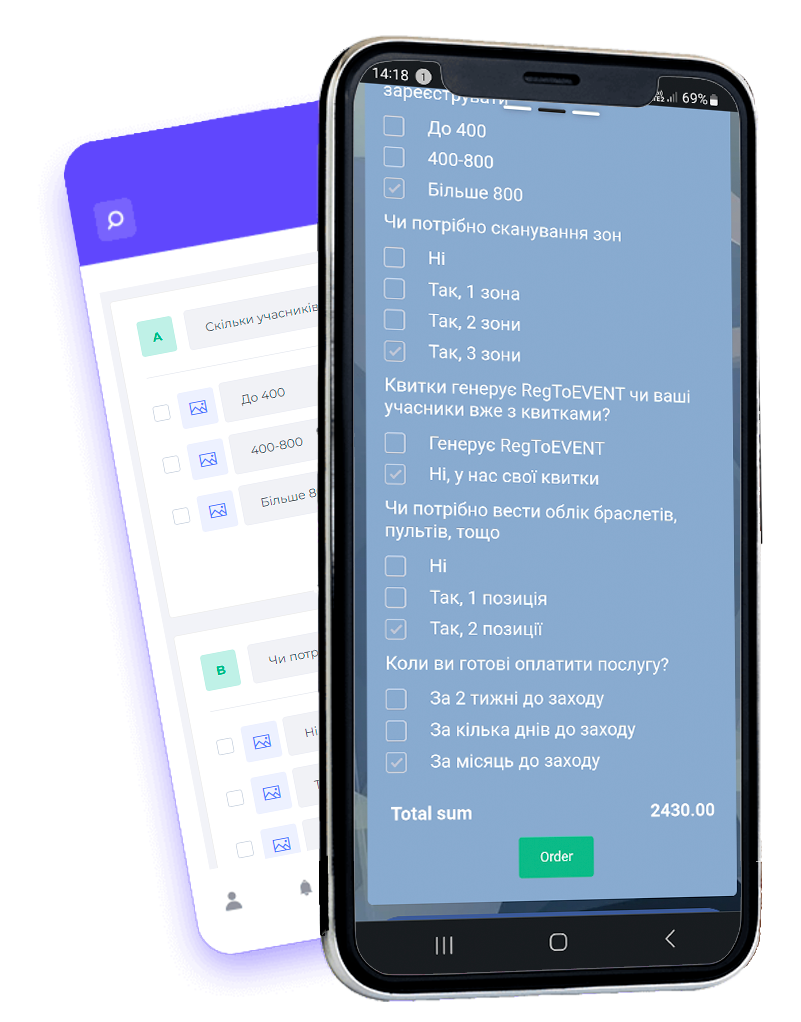
We’ll help you adapt the calculator to your line of business, so you can bring your ideas for growing your business to life
Sign upParameters, formula, and a lead form. Your first leads with a clear budget today.